

This guide is intended for ISD Directors and explains how to unapprove a district submission and edit plan information in the ISD Plan activity in Catamaran.
Access the Activity
- Log into Catamaran.
- Access the activity from the Dashboard. Scroll down to the Tasks Overview Use the filters, as needed to narrow tasks, and select the ISD Plan link in the Activity Column to open the activity.

Unapprove District Submissions
- ISD Directors can review the status of their districts’ submissions using the ISD Plan Member District Review Tool found on the ISD Plan Menu.
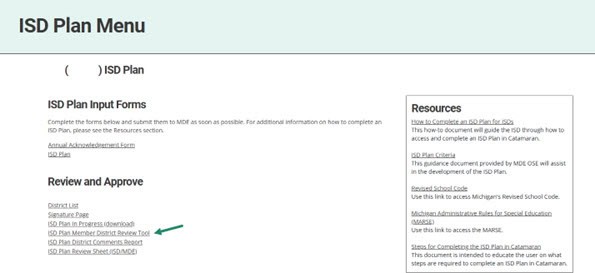
- On the Member District Review Tool page, a table displays the status of each member district’s submission. For any district plan which is at the status District Info Accepted, select View to review that district’s submission on the Member District Review Page.

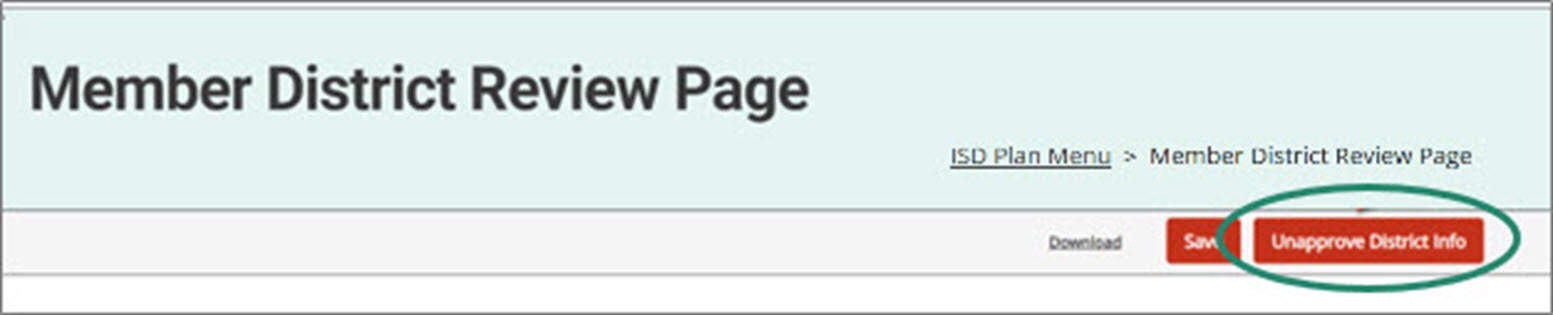
- From the Member District Review Page, select the Unapprove District Info button.
- Repeat steps 3-5 for every district whose information needs to be edited.
- Once all district plans needing modifications have been unapproved, locate the district ISD Plans by selecting the Search link (A) in the upper right-hand corner of the page. By the section heading, select Policy (B). Filter the search results by selecting ISD Plans (C). Next, search for the ISD Plan for District (D) option. Select the Search button (E) to display results.
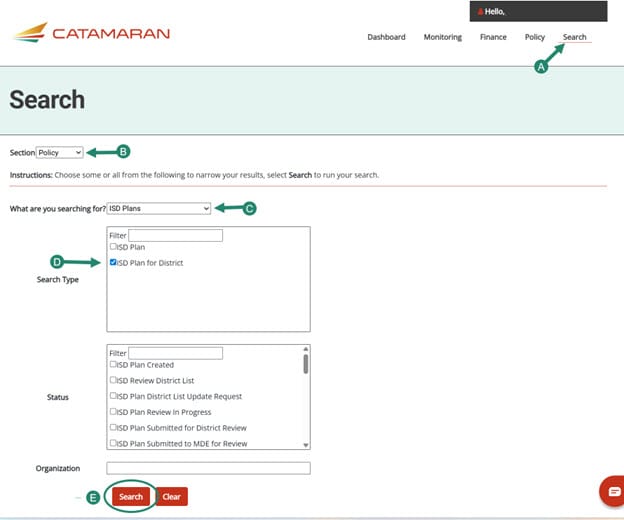
- A list of districts will populate on the page. Use the link in the Activity column to open each ISD Plan for districts needing modifications.
- Edit the appropriate pages of the ISD Plan and select Save on the Public Awareness and Child Find page.

- Once the edits have been made, navigate to the Signature Page (last form of the district ISD Plan) and select District Info Accepted.

- Once all requested edits have been made and have been accepted, proceed with resubmitting the ISD Plan to MDE.
Need Additional Assistance?
For questions about system navigation or accessing this activity, contact the Catamaran Help Desk. The help desk is available Monday–Friday from 8:00am to 5:00pm. Contact by email (help@catamaran.partners), phone (877-474-9023) or by using the Chat feature within Catamaran.